
Guests Hub
Who’s coming? Who hasn’t replied? Who still needs a seat? Who has already arrived? The Guests Hub answers all of that — without a single spreadsheet.
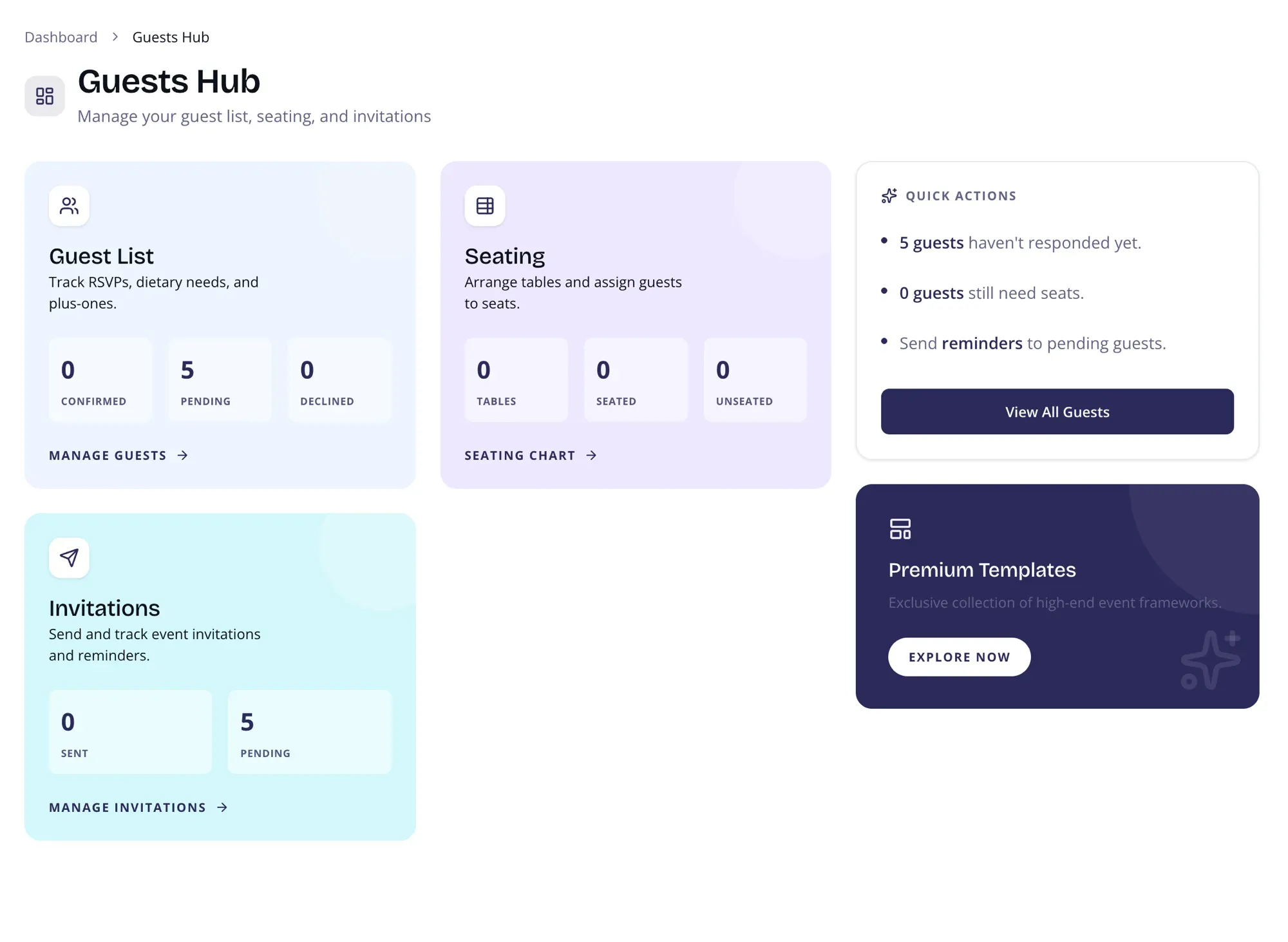
Guest List
Section titled “Guest List”See confirmed, pending, and declined counts at a glance. Track RSVPs, dietary needs, and plus-ones without opening a single spreadsheet. Click through to the full guest management page for detailed editing.
Seating
Section titled “Seating”See how many tables you’ve set up, how many guests are seated, and how many still need assignments. Jump straight to the Seating Planner to arrange your layout.
Invitations
Section titled “Invitations”Track how many guests have responded and how many are still waiting. Quick access to your Campaigns & Messaging center for sending invitations and reminders.
Live Check-In
Section titled “Live Check-In”Use Check-In on event day to see arrivals as they happen. Guests can show their personal QR at the entrance, and front-desk staff can scan it, search by name, or manually check in a party.
Live check-in helps you answer operational questions during the event:
- How many guests have arrived so far?
- How many total people are already inside, including plus-ones?
- Are VIPs or key family members here yet?
- Is it time to move guests toward dinner or the next program moment?
Quick Actions
Section titled “Quick Actions”Smart suggestions based on your current data:
- Number of guests who haven’t responded yet
- Number of guests who still need seats
- Live check-in progress on event day
- Quick link to send reminders to pending guests
Page Layout
Section titled “Page Layout”Two-column layout on desktop:
- Main area — Guest List, Seating, Invitations, and Check-In cards with live stats
- Sidebar — Quick Actions and Premium CTA
On mobile, the layout stacks vertically.