
Live Check-In
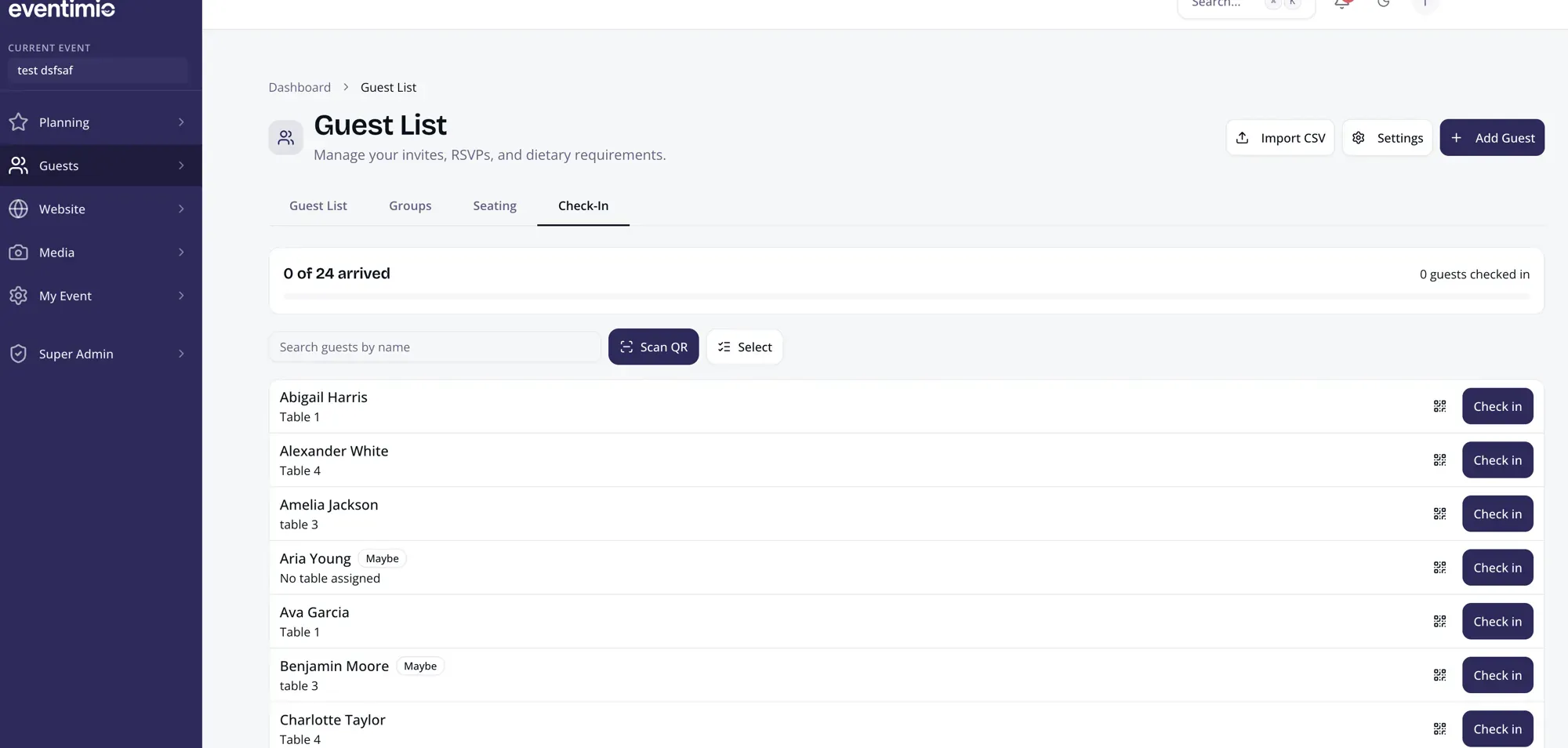
Live Check-In turns your guest list into a real-time view of the room. Every scan, search, and manual arrival updates instantly across all devices — so your team always works from the same picture.
How it works
Section titled “How it works”Check-In uses the same guest list you already built for RSVPs. No separate app, no second spreadsheet.
- A guest confirms they are attending.
- Eventimio generates a personal check-in QR for that guest or party.
- On event day, the QR appears on the guest’s RSVP confirmation page.
- Front-desk staff open the Check-In tab.
- Every scan or manual check-in updates the arrival count live.
Guest experience
Section titled “Guest experience”Guests don’t need to do anything special. Their personal QR is on the RSVP confirmation page they already received. They open it, show it at the door, and walk in.
If a guest arrives with family or a plus-one, the front desk checks in the correct number of people in one action.
Front desk tools
Section titled “Front desk tools”The Check-In tab shows live progress at the top — guests arrived, people on site, and how close you are to the expected total.
Below that, staff have four ways to handle any arrival:
| Action | When to use |
|---|---|
| Scan QR | Guest has their code ready |
| Search by name | Guest can’t find the QR |
| Manual check-in | Staff need to mark a guest or party directly |
| Bulk check-in | Several guests arrive together |
Multiple staff members can check people in from different devices simultaneously. Updates are shared live.
Roles and access
Section titled “Roles and access”Assign the Front Desk role to entrance staff. This gives them access to the Check-In tab without exposing the rest of your event setup — budgets, campaigns, seating, or settings.
Setup checklist
Section titled “Setup checklist”If your guest list is already in Eventimio, there is very little to configure:
- Confirm attending guests are marked as attending (declines are excluded automatically)
- Check party sizes and plus-one counts
- Assign Front Desk role to entrance staff
- Brief staff: scan QR first, search by name if the QR isn’t available
Live stats
Section titled “Live stats”Check-In tracks:
- Guests checked in — confirmed individuals who have arrived
- People on site — total headcount including plus-ones
- Arrival progress — percentage of expected guests
After the event, the attendance report is ready — no manual reconciliation needed.